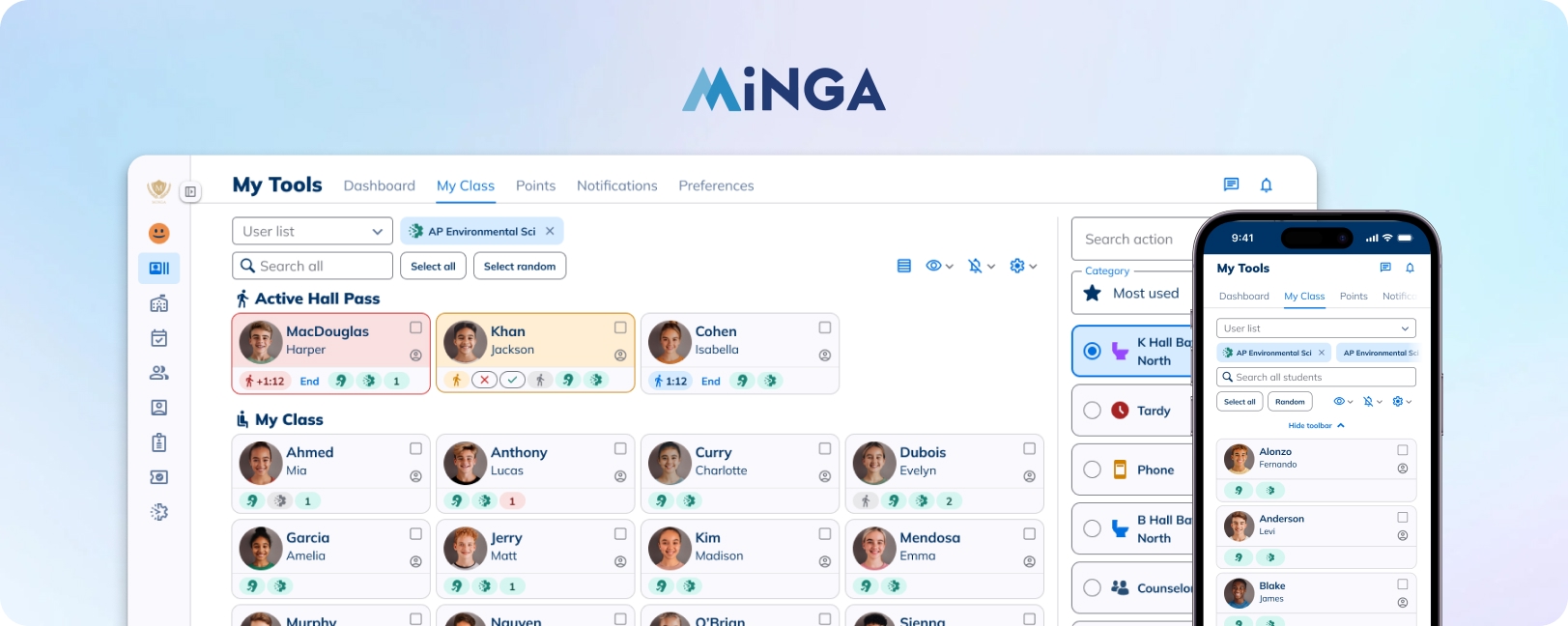
A unified classroom dashboard for teachers
CONTEXT
Minga is a tardy and behaviour management platform for K-12 schools - minga.io
ROLE
Led discovery, research and design
2024 - 2025 / 3 major updates
PROBLEM
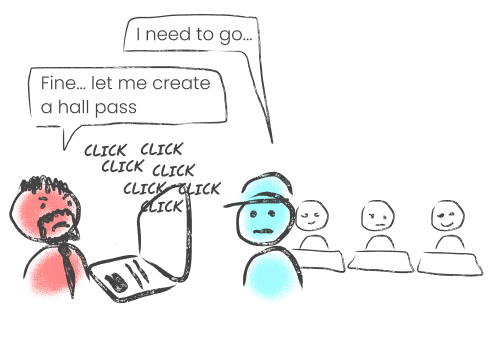
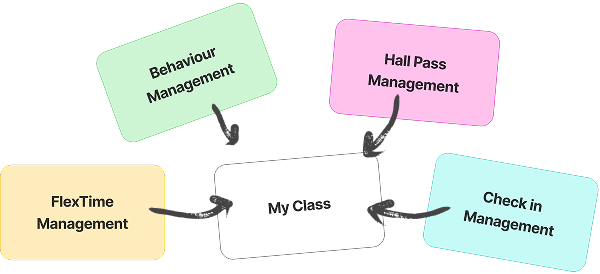
Teachers need to navigate to 4 different screens in order to perform different actions and keep track of attendance during class, leading to frustration and low adoption.
SOLUTION
A unified classroom dashboard for teachers that allow school wide visibility and 3 clicks managements.
IMPACT
Increased teacher adoption
1.7x
monthly hall pass and behaviour assignments
-30%
Time spent assigning hall passes and behaviours
PROBLEM
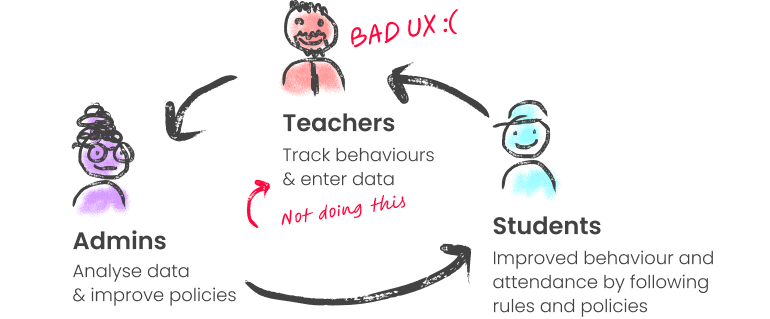
Admins cannot rely on Minga without teacher adoption.
- We’ve been focusing on improving the admin experience which has left many teachers feeling dissatisfied with the platform.
- School teachers adoption and NPS remain low compare to school admins due to poor UX.
- Without teacher adoption, admins cannot rely on Minga reporting to influence decisions and reinforce positive student behavior and attendance.
CHALLENGE
- Teachers want to spent as little time as possible on Minga to assign hall passes and behaviors and focus on teaching.
- Teachers need to navigate to 4 different screens in order to perform different actions and keep track of attendance during class.
GOAL
To build a more focus experience where teachers feel like we respect their time.
How can we streamline the multiple workflows so that teachers can focus on teaching.
FINAL SOLUTION

My Class: a classroom dashboard that offers school wide visibility and 3 clicks classroom managements
DESIGN 1

Student card
Easily visualize students’ hall pass requests and status with colour coding and sound notifications
DESIGN 2
Quick assign
Assign hall passes, behaviours, and check-in, all in one place
TESTING AND ITERATIONS
Teachers’ ongoing feedback
Over the course of a year and three major releases, we progressively tested and implemented updates informed by teachers’ feedback.
CHALLENGE 1
Designing a one-stop experience
Understanding how this feature integrates into our broader ecosystem in order to future-proof it, ensuring that teachers can rely on this single feature for all their needs.
CHALLENGE 2
Designing for a wide range of use cases
- Teachers use the platform for different purposes depending on their class, school policies, and personal habits.
- Making all essential actions and information quickly accessible while maintaining clarity is challenging—some users may find certain elements unnecessary, while others want to see everything.
- Therefore, balancing diverse user preferences through flexibility and choice is essential.